
From Spreadsheet to Signed PDFs: The Fastest Way to Issue HR Letters in Bulk
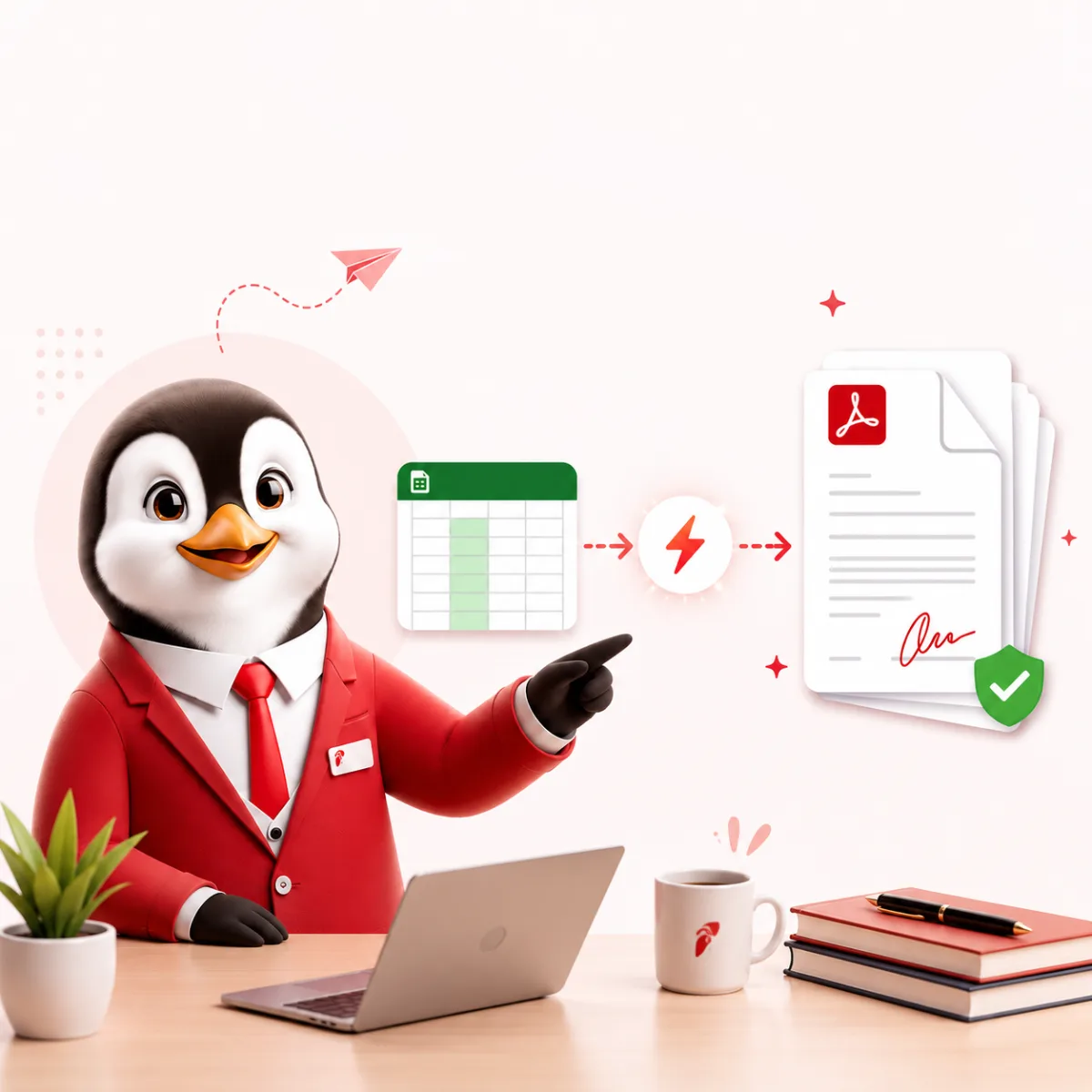
The fastest reliable way to issue HR letters in bulk is a mail merge with checkpoints: one clean spreadsheet with a row per employee, one approved template with merge fields, a small test run, a full run that you reconcile against the sheet, and then signing and distribution with a record of who received what. The speed comes from setting up the data and template once. The accuracy comes from the checks between the steps. This guide walks through each stage, the data hygiene rules that prevent most errors, and the basics of electronic signatures under India’s Information Technology Act, 2000.
When bulk issuance makes sense, and when it doesn’t
Bulk generation works best when many people receive the same letter with different data. Typical cases are appraisal and increment letters at the end of a cycle, confirmation letters for a batch that joined together, offer or appointment letters for a campus or project intake, transfer letters after a restructuring, and experience letters when a project closes.
It’s the wrong tool for letters that depend on individual judgement. Warning letters, show-cause notices, terminations and individually negotiated offers should be drafted and reviewed one at a time, even if they start from a template.
Step 1: Prepare the spreadsheet (data hygiene first)
Nearly every bulk letter error starts in the data, not the template. Set the sheet up like this:
- One header row, one row per recipient. No merged cells, subtotals, colour-coded notes or blank rows in the middle.
- A unique key. Use the employee ID as the first column so you can match every letter back to one person.
- Simple, stable column names such as employee_name, designation, effective_date and new_ctc. These become your merge field names.
- Export from your system of record. Pull names, designations and pay from your HRIS or payroll export instead of retyping them, then save a dated copy for this run and stop editing the live sheet.
- Consistent formats. Write dates one way throughout (for example 1 April 2027) and keep amounts as plain numbers without currency symbols, so the template controls formatting.
- Only the columns the letter needs. Leave out bank details, identity numbers and other personal data the letter doesn’t use. In India, processing of digital personal data is governed by the Digital Personal Data Protection Act, 2023, and keeping data to the minimum is a sensible habit anywhere.
Validation checks to run before you merge
| Check | How to do it in a spreadsheet |
|---|---|
| Duplicate employees | Count each employee ID; any count above 1 is a duplicate row. |
| Missing required values | Filter each required column for blanks before you start. |
| Pay components add up | Add a check column that sums the components and compares the result to the total. |
| Date logic | Flag effective dates earlier than the joining date or outside the cycle. |
| Outliers | Sort by the new amount and look at the top and bottom few rows for typing errors. |
| Row count | Note the number of recipients; you’ll compare it with the number of letters later. |
Step 2: Build a template with merge fields
Start by writing the letter in full for one real person and getting it approved. Then replace each variable with a merge field, such as {{employee_name}} or {{new_ctc}}. Working this way keeps the letter readable and makes it obvious which parts change.
- One template per letter type and per entity or country. A single “master” letter with lots of optional paragraphs is where wrong clauses slip through.
- Avoid complicated conditional text. If promotions with and without an increment read differently, use two templates.
- Version the template. Give it a name like Increment_2026-27_v2 and note what changed and who approved it.
- Check the law-dependent parts. In India, if the letter shows a salary breakup, basic plus DA (and retaining allowance) should be at least half of total remuneration under the Labour Codes’ definition of wages. If the letter changes a service condition listed in the Third Schedule of the Industrial Relations Code for covered workers, notice is required and the change can take effect only 21 days after it.
For help with the wording of individual letter types, see our guides on appraisal letters that communicate salary changes and confirmation letter best practices.
Step 3: Map the fields and run a test batch
Link each column to its merge field, then generate a test batch of three to five letters. Don’t pick the first rows. Pick the edge cases:
- The longest name and designation, to check line breaks and layout
- The highest and lowest amounts, to check number formatting
- Someone with an optional field left blank, to check the sentence still reads correctly
- Someone from a different location or entity, if the batch mixes them
Fix problems in the template or the sheet, never in individual output files. If you edit a generated letter by hand, the next run will repeat the error.
Step 4: Generate the full batch and reconcile
- Count. The number of letters must equal the number of rows. A mismatch means skipped or duplicated rows.
- Name files predictably, for example EmployeeID_LetterType_EffectiveDate, so each file can be traced to a row.
- Sample check. Open a random sample plus the first and last letters and compare them against the sheet.
- Regenerate selectively. If a few rows were wrong, correct them at source and regenerate only those letters, then record what changed.
Step 5: Sign the letters (electronic signature basics in India)
Under the Information Technology Act, 2000, the Controller of Certifying Authorities (CCA) explains two routes to a digital signature:
- Digital Signature Certificate (DSC). The signer obtains a DSC from a Certifying Authority licensed by the CCA, after identity and address verification.
- eSign. An online electronic signature service that authenticates the signer through e-KYC (biometric or OTP) and signs on the provider’s server. The CCA describes it as facilitating legally valid signatures in line with the Act, with a digital audit trail.
Three practical points for HR teams:
- Check the exclusions. Section 1(4) of the Act says it doesn’t apply to documents or transactions listed in its First Schedule, which the Government amends by notification. Routine letters rarely raise this, but check before e-signing anything unusual and take legal advice where a document has special formalities.
- A pasted image of a handwritten signature isn’t a DSC or eSign. If your process uses one, keep stronger evidence of who approved the batch, such as an approval email or system log.
- Confirm signing authority. The person signing should hold documented authority for that letter type, and the signature block should name them and their designation.
Where a letter needs the employee’s acceptance, such as an offer or appointment letter, track acceptances in the same sheet so nobody slips through.
Step 6: Distribute and archive
- Send each letter individually, by personal email or an employee portal. Never send a batch email with everyone’s attachments, and never reply-all on a thread that carries a letter.
- File the signed copy against each employee record with the date issued.
- Keep a batch folder with the frozen spreadsheet, the template version, the generation log and the send log. If a question comes up during an audit or dispute, you can show exactly what was issued and why.
- Set a retention period for letters in your records policy and apply it consistently.
Common bulk letter mistakes and how to prevent them
| Mistake | Prevention |
|---|---|
| Sheet edited after the run started | Freeze a dated copy before mapping fields |
| Outdated clause or repealed law name in the template | Version templates and review them whenever the law or policy changes |
| Letters fewer or more than rows | Reconcile the count before signing |
| Wrong letter sent to the wrong person | Trace file names to employee IDs and send individually |
| Unsigned or unarchived letters | Make signing and filing explicit steps on your run checklist |
A note on appointment letters for existing staff
Under India’s OSH Code, a written appointment letter is a statutory duty for every worker, and existing staff without one were to receive one within 3 months of the Code’s commencement on 21 November 2025. If your records show gaps, a bulk run from a clean employee export is a practical way to close them, provided each letter reflects that person’s actual terms. Our guide on drafting HR letters with AI safely includes a review checklist you can apply to the template.
Where a bulk letter tool fits
A spreadsheet and a word processor can do a mail merge, but a purpose-built tool removes the fiddly parts. The HRTailor.AI Bulk Letter Generator, listed with the HRTailor.AI tools, lets you pick a saved template or paste a letter you already use and have the AI convert it into merge fields. You then pull recipients from your employee directory or upload a CSV or spreadsheet, map the fields, and download the whole batch as a ZIP of PDF and/or Word files. Batch limits depend on your plan. The data hygiene and reconciliation steps above still apply, because a tool can only merge the data you give it.
Last reviewed: 26 October 2026. General information, not legal or tax advice.
Official sources
- Controller of Certifying Authorities: eSign, online electronic signature service
- Controller of Certifying Authorities: Acts, rules and notifications under the IT Act, 2000
- Notification S.O. 4720(E) amending the First Schedule of the IT Act, 2000 (PDF)
- MeitY: Digital Personal Data Protection Act, 2023 (PDF)
- Ministry of Labour and Employment: Compliance Handbook for Employers under the four Labour Codes (PDF)
Related reading

Frequently Asked Questions
Almost any standardised letter, including offer, appointment, appraisal, promotion, bonus, transfer, warning, experience, and relieving letters, can be issued in bulk as long as the data is in a structured spreadsheet.
Electronic signatures created with a Digital Signature Certificate from a Certifying Authority licensed by the CCA, or through the eSign service, are recognised under the Information Technology Act, 2000. The Act does not apply to documents listed in its First Schedule, so check that list and take legal advice for any unusual document.
Always preview two or three letters from a batch before generating the full set, and spot check a random sample of the output PDFs. Fix template or mapping issues once, then regenerate, since it is faster than correcting letters after they have been sent.

How to Create a Workplace Code of Ethics: A Practical Guide.
How to Create a Workplace Code of Ethics: A Practical...
Read More
How to Calculate Employee Attrition Rate: Formula and Examples.
How to Calculate Employee Attrition Rate: Formula and Examples. Understand...
Read More
What Is a Performance Improvement Plan (PIP)? Steps, Examples and Template.
What Is a Performance Improvement Plan (PIP)? Steps, Examples and...
Read More
The HR Compliance Gaps That Quietly Turn Into Fines
The HR Compliance Gaps That Quietly Turn into Fines Introduction...
Read More