
How to Set SMART Goals & KPIs with AI Step-by-Step)
Introduction
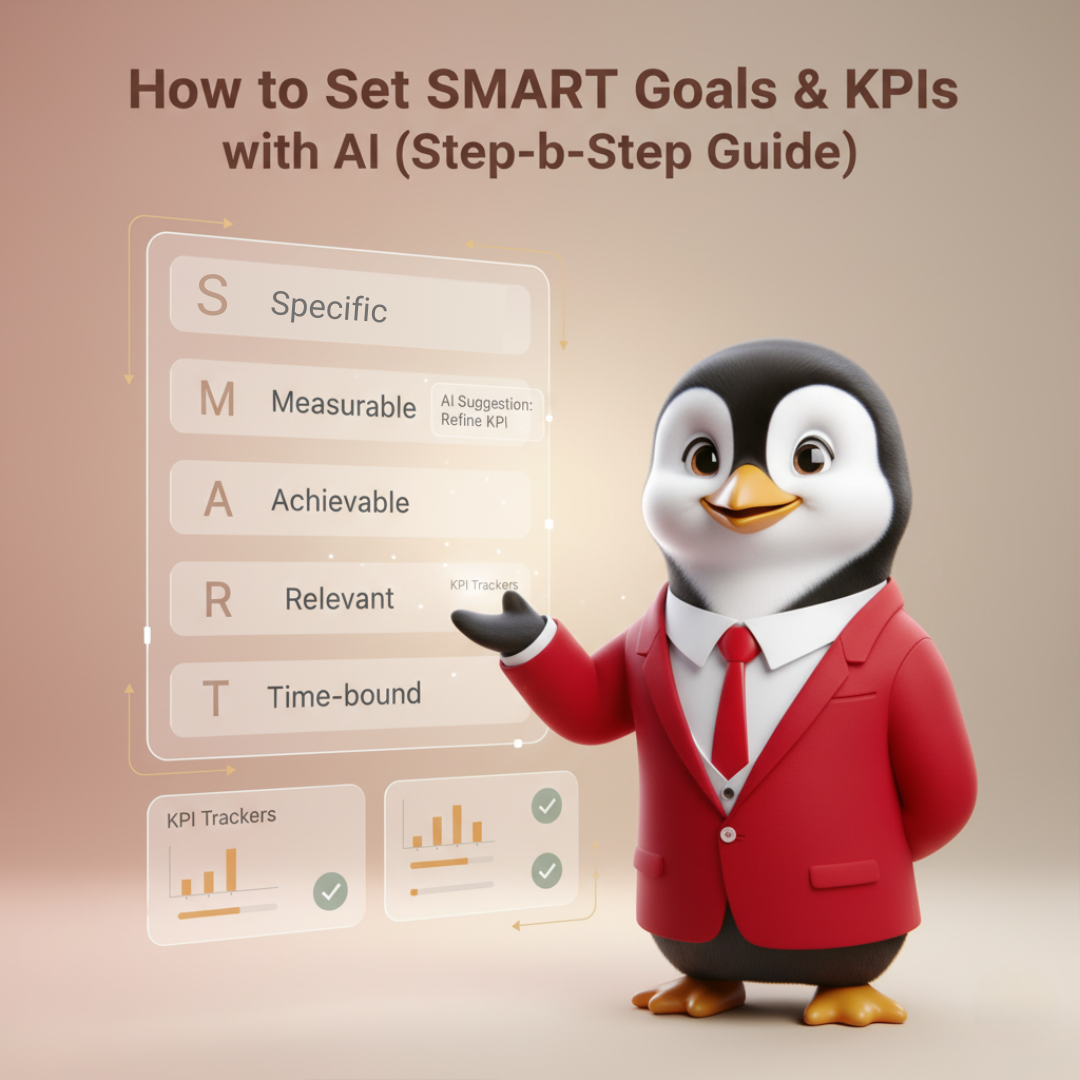
Setting SMART goals (Specific, Measurable, Achievable, Relevant, Time-bound) is fundamental to strong performance management. Yet many managers struggle to turn responsibilities into measurable KRAs (Key Result Areas) and KPIs (Key Performance Indicators). Consequently, performance conversations become vague and appraisals feel subjective. With HRTailor.AI’s KRA/KPI Generator, SMART goals with AI can be created quickly and correctly — role by role, location by location. In this guide, you’ll learn a practical, step-by-step process, see real examples, and get tips to make your KPIs actionable.
Why SMART goals matter
Clear goals are the backbone of accountability. When objectives are specific and measurable, teams know what to prioritize. Moreover, SMART goals align individual work to company outcomes. Therefore, appraisals become fairer, promotions are better justified, and learning needs can be identified early. Importantly, compliance and fairness are improved when KPIs are consistent across regions. For global teams, goals should be adapted to local realities. Otherwise, targets that are achievable in one market may be unrealistic in another.
Benefits at a glance:
- Aligns employees with company objectives.
- Improves productivity and accountability.
- Provides clarity during appraisals.
- Ensures compliance with global HR frameworks.
Common goal-setting problems (and how AI fixes them)
Managers often make the same mistakes when writing KPIs.
- First, goals are too vague — for example, “improve sales” without numbers.
- Second, KPIs are unrealistic because local context was ignored.
- Third, metrics are hard to track because they are poorly defined.
As a result, motivation falls and disputes occur. AI reduces these errors by suggesting SMART phrasing, benchmarking targets against industry norms, and formatting KPIs so they can be tracked automatically. In short, AI converts guesswork into data-informed targets.
How to set SMART goals with AI — step-by-step
Step 1 — Enter role & department
Start by selecting the job title and department. For example: “Sales Executive, UAE” or “Marketing Manager, India.” This simple input triggers role-specific templates. Moreover, expected responsibilities are prefilled so nothing important is overlooked.
Step 2 — Choose company size & location
Next, indicate company size (startup, SME, enterprise) and geographic location. These factors influence what is realistic and legal. For instance, sales quotas for a 10-person startup are different from those for a multinational. Therefore, the AI tailors targets to match capacity and market conditions.
Step 3 — Review suggested KRAs
The AI generates KRAs — the broad areas of responsibility. For a Sales Executive, KRAs might include Revenue Growth, Pipeline Management, and Customer Retention. At this stage, you should scan the high-level areas and accept or tweak them. Small edits are easily made and will improve relevance.
Step 4 — Generate SMART KPIs
With KRAs approved, the system proposes SMART KPIs. Each KPI is phrased to be specific, measurable, achievable, relevant, and time bound. You’ll receive metrics, targets, timeframes, and data sources (e.g., CRM, analytics). For example, instead of “increase leads,” the KPI reads: “Generate 1,000 qualified leads via digital campaigns per quarter (tracked in HubSpot).”
Step 5 — Assign weightage & review cadence
Next, assign relative weight to each KPI (for example, Revenue 50%, Customer Satisfaction 25%, Process Improvements 25%). Then select review frequency: weekly, monthly, quarterly. These choices make appraisals objective because they show how performance contributes to total score.
Step 6 — Download, share & track
Finally, export the KRAs and KPIs as Word or PDF, or push them directly into your HRIS. Importantly, KPIs can be connected to dashboards so progress is visible in real time. Goals should not be static; they must be reviewed and adjusted when necessary.
Example outputs (realistic, role-based)
Sales Executive (USA)
- KRA: Revenue Generation
- KPI: Achieve $500,000 in net new sales in Q2 with a 20% close rate, tracked in Salesforce.
- KPI weight: 60%; Review cadence: monthly.
Marketing Manager (India)
- KRA: Demand Generation
- KPI: Generate 1,000 qualified leads per quarter from digital channels with a CPL under ₹1,200, tracked in Google Analytics + CRM.
- KPI weight: 50%; Review cadence: quarterly.
HR Manager (UK)
- KRA: Talent Retention & Engagement
- KPI: Maintain annual employee retention at ≥90% and achieve an engagement score ≥75% on the annual survey.
- KPI weight: 40%; Review cadence: annual.
Each example demonstrates how measurable language replaces vague statements. Also, data sources and cadence are specified so tracking becomes practical and transparent.
Best practices for actionable KPIs
- Start with outcomes, not activities. Rather than “conduct training,” prefer “reduce onboarding time by 20%.”
- Use leading and lagging indicators. Combine immediate measures (lead volume) with outcome measures (revenue).
- Limit KPIs to the critical few. Three to five KPIs per role is optimal. Otherwise, focus is lost.
- Make data sources explicit. State where numbers will come from so everyone trusts the process.
- Set review gates. Quarterly check-ins work well for most functions; monthly is better for sales.
- Calibrate annually. Recalibrate targets each year based on market changes and company goals.
By following these rules, KPIs become tools for growth rather than paperwork.
Aligning KPIs with compensation & development
KPIs should influence both pay and career growth.
- Variable pay can be tied to measurable outcomes.
- Development plans should be created from KPI gaps: if an employee misses a sales target due to negotiation skills, a tailored training program is the right response.
Moreover, when KPIs are transparent and data-driven, perceived fairness increases, and turnover usually declines.
GEO & company-size considerations (why context matters)
Goals that are realistic in one market may be impossible in another. Therefore, the AI accounts for local factors: market size, average deal velocity, and regulatory constraints. For example, in regulated healthcare markets, KPIs will often include compliance metrics; in fast-moving SaaS startups, KPIs will emphasize MRR (monthly recurring revenue) growth. Consequently, localized KPIs reduce frustration and increase the chance of success.
How to run a KPI pilot (quick roadmap)
- Select 10 roles across two departments.
- Generate KPIs using the AI tool and export them.
- Run a 3-month pilot and collect progress data.
- Survey managers & employees for clarity and fairness.
- Refine and scale the model across the organization.
Piloting reduces risk and builds organizational buy-in.
Common pitfalls & how to avoid them
- Too many KPIs: Focus dilutes. Keep KPIs to the essential few.
- Vague measurement methods: Always attach a data source.
- No owner for a KPI: Every KPI must have a clear owner and backup.
- Ignoring external factors: Revisit KPIs if market conditions change drastically.
Avoiding these pitfalls keeps your goal system healthy and credible.
Conclusion & next steps
SMART goals with AI make performance measurable, fair, and aligned. Instead of spending hours debating metrics, managers can create structured, trackable KPIs in minutes. Moreover, when goals are adapted to location and company scale, teams feel the clarity needed to perform. Start with a small pilot, then scale. The result will be better appraisals, clearer development paths, and, ultimately, improved business outcomes.
Set SMART goals instantly with KRA/KPI Generator. Export role-specific KRAs and KPIs, share them with teams, and start tracking results today.


Frequently Asked Questions
Yes. Every KPI and KRA can be edited. AI provides a starting point — managers retain control.
No. Targets are benchmarked against industry data and company size, so they are realistic and data-backed.
Yes. KRAs and KPIs can be mapped to quarter-level OKRs for strategic alignment.
Monthly for sales and operations; quarterly for marketing and product; annually for long-term strategic roles.

Job Contract Agreement Explained With Key Clauses and Examples
Job Contract Agreement Explained With Key Clauses and Examples Introduction...
Read More
What HR Teams Should Check Before Using a Sample Offer Letter
What HR Teams Should Check Before Using a Sample Offer...
Read More
How Salary Taxes Are Calculated on Your Payslip
Your pay slip can look like a mini...
Read More
End of Employment Letters: Resignation, Termination, and Closure Explained
End of Employment Letters: Resignation, Termination, and Closure Explained Introduction...
Read More